Creating story videos for children can seem daunting. Most parents, educators, and content creators would love to make engaging and useful videos, but have no idea where to start.
Kids are easily distracted, so your videos require more than images. When you combine text, voice, and video, stories become more understandable and a whole lot more entertaining to view.
This is where the desktop video editor, CapCut, comes in. It allows you to transform any ordinary story into a dynamic video with voice-over text. You don’t have to be a pro. Simply upload your scenes, write your text, and let the voiceover do the speaking.
Keep in mind that CapCut PC is not entirely free. Some of its features require payment to access.
Why Talking Text Videos Are Ideal for Children’s Storytelling
Children learn more when they get to see and listen simultaneously. When a voice is narrating the text on the screen, they are more focused for longer. The voice reads the words one by one to them, so following the story becomes more convenient.
This kind of video also makes them read improved. They begin to equate what they hear to what is written. This enhances the way they listen, read, and comprehend what they hear.
It’s also excellent for kids who have difficulty reading independently. Listening to the story while viewing it prevents them from being left behind.
A voice gives life to the story. It reveals how the characters are feeling and what the scene is about. Such tools as an AI voice generator can even give the voice a real person’s sound.
Images, sound, and text put together create a complete learning experience. It engages children actively, helps them learn quicker, and makes reading stories more enjoyable.
Why Use CapCut Desktop Video Editor for Storybook Videos
The CapCut video editor is simple to use. You can drag and drop everything directly into the timeline. This is a good option for teachers, parents, or anyone who is new to editing.
One of its strongest features is text-to-speech. You type the narrative, and it reads it to you. Some voice selections and features will require payment, but many are available to use.
You can also include movement in your pictures and words. This makes the story come alive. A smiley face can wave, or a tree can shake. Music and sound effects create mood. You can put on soft music or playful sounds for each scene.
You can export the completed video in a variety of sizes. It is comfortable on a tablet screen or plays fine on a smart TV. If you prefer sharper quality, you may opt for combining CapCut PC with an AI video upscaler to enhance the image.
Remember that although most tools are free of charge, CapCut PC does have some features that come at a cost. It’s also a good choice for creating story videos that children will enjoy.
How to Make a Kid’s Storybook Video with Talking Text on CapCut PC
Step 1: Download and Install CapCut Desktop Video Editor
Visit the official CapCut website and download the setup file for CapCut PC. Click on the installer and follow the process to install the setup. After installation, launch the CapCut desktop video editor and log in. Make sure to use the official site only. It keeps your files safe and the app free from errors.

Step 2: Import Storybook Images or Scenes
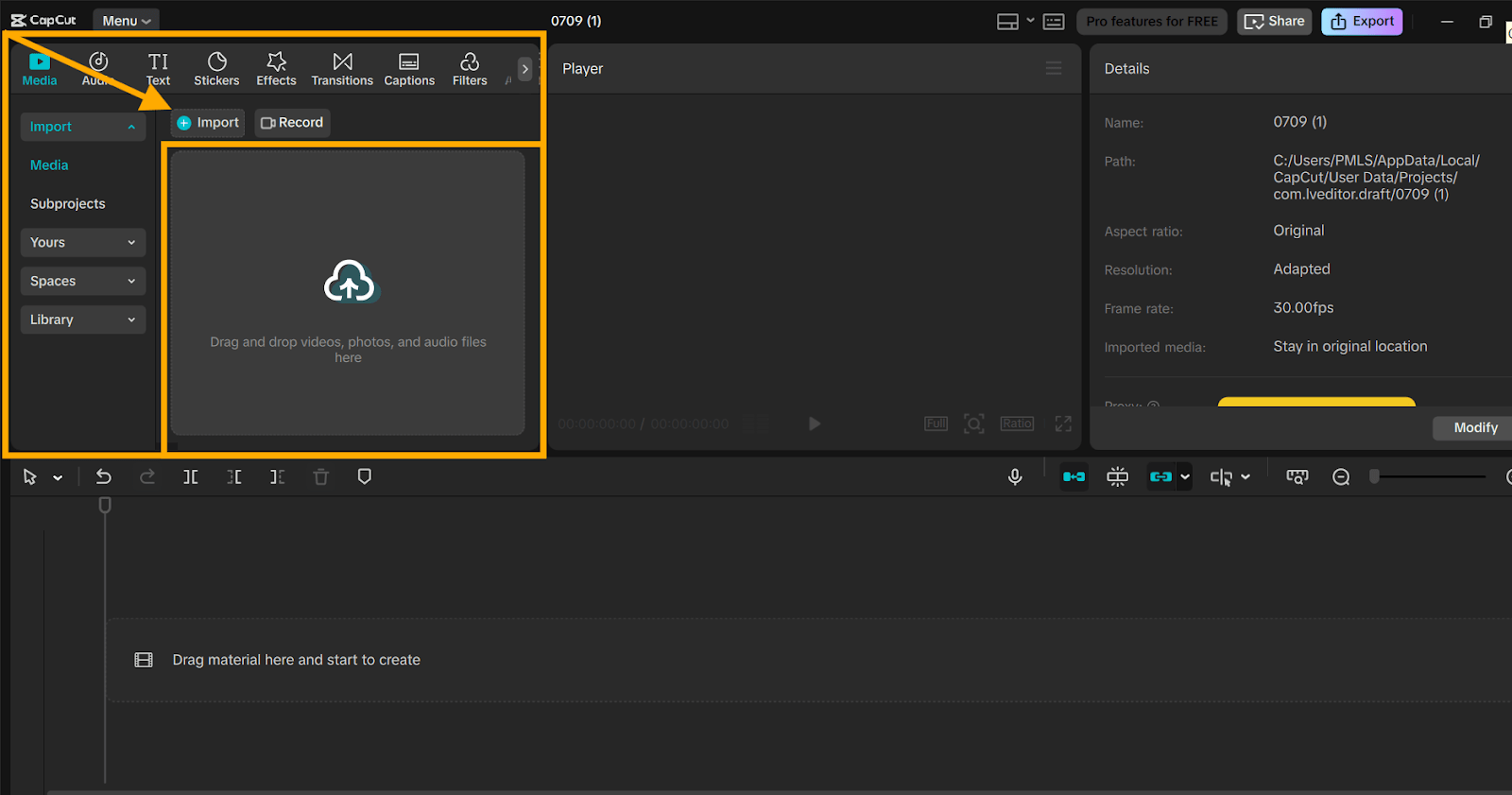
Click “Import” in the “Media” panel. Select your pictures, drawings, or slides saved on your device. Drag them to the timeline below. Place them one after the other, just like turning pages in a book.
Step 3: Add Text to Each Scene/Page
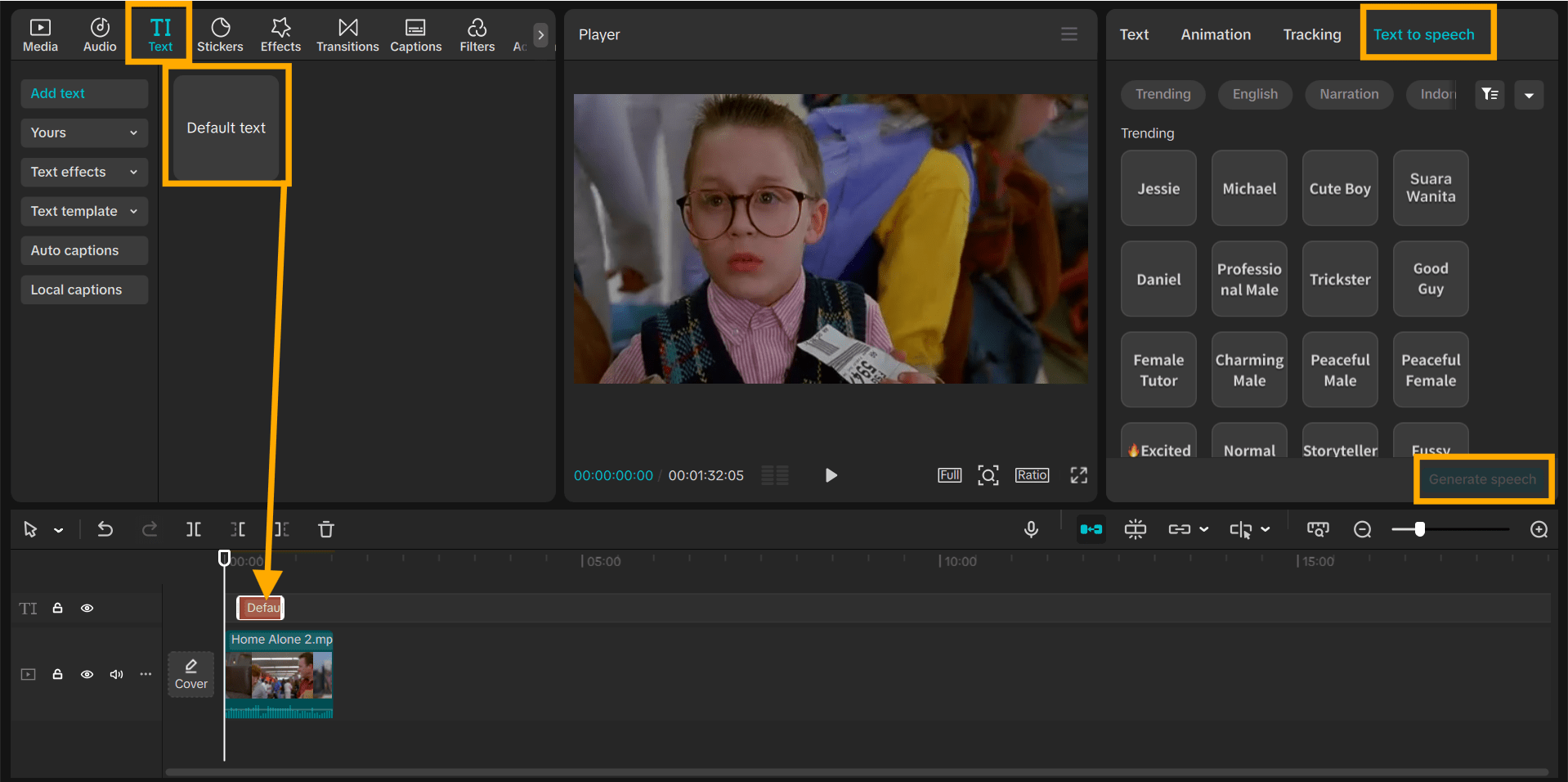
Tap the “Text” tab from the left menu. Input your story text for each image. Adjust the font, size, and colors to make it bright and playful. Position the text where it’s clear to read, such as the top or bottom of the screen.
Step 4: Make Text Talk Using Text-to-Speech
Click the text, add your script in a box, then click the “Text to speech” option from the right panel. Choose a voice that sounds friendly or playful. Some voice styles are not free.
To get even smoother results, you can also experiment with text to speech AI tools, which sound closer to a real voice. Ensure the timing works with each slide such that the voice speaks as the image appears.
Step 5: Add Music, Sounds, or Effects
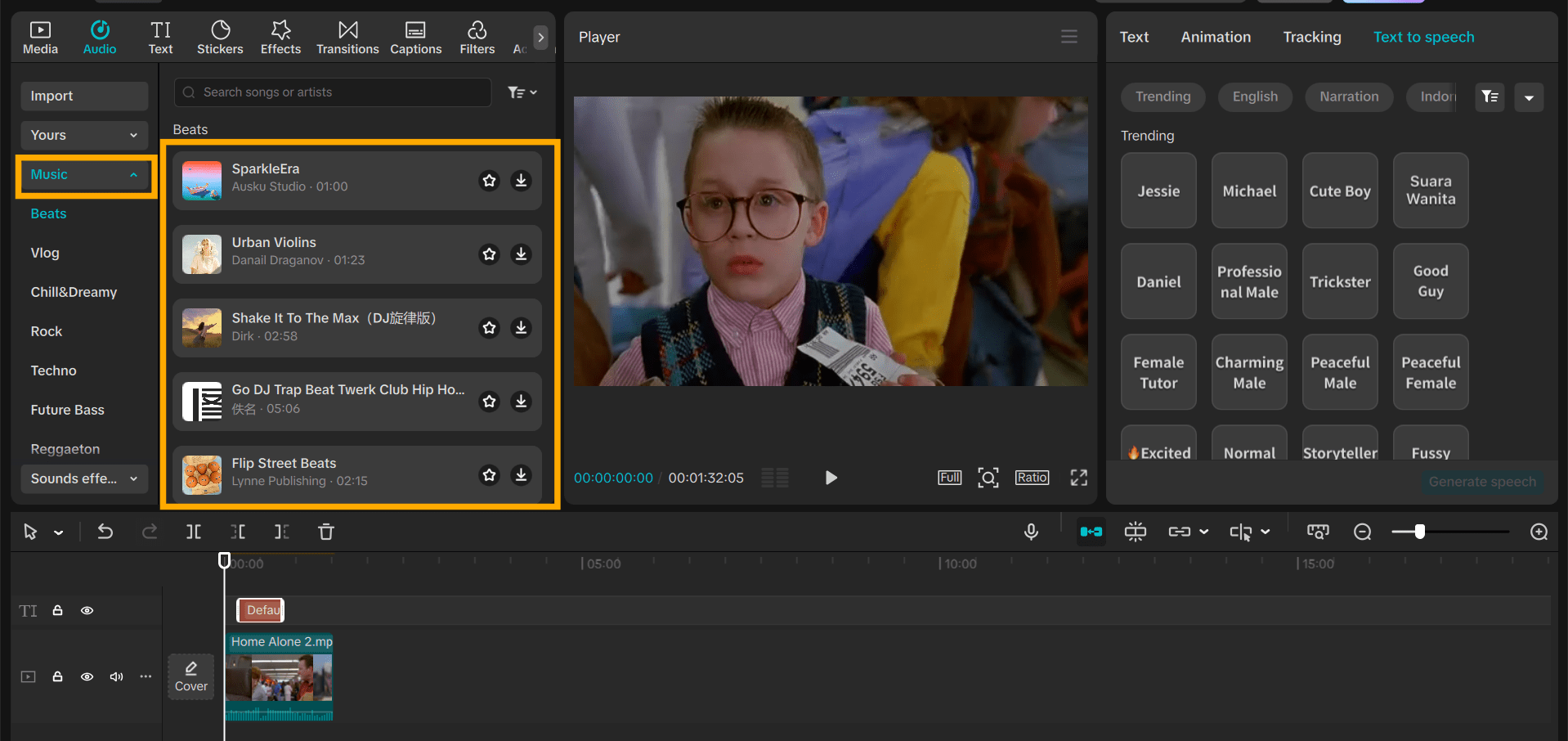
Click “Audio” from the left menu. Choose music that fits the story’s mood. Add soft background music or playful effects, like animal sounds or bells. Adjust the volume so it doesn’t cover the voice.
Step 6: Preview, Export, and Share
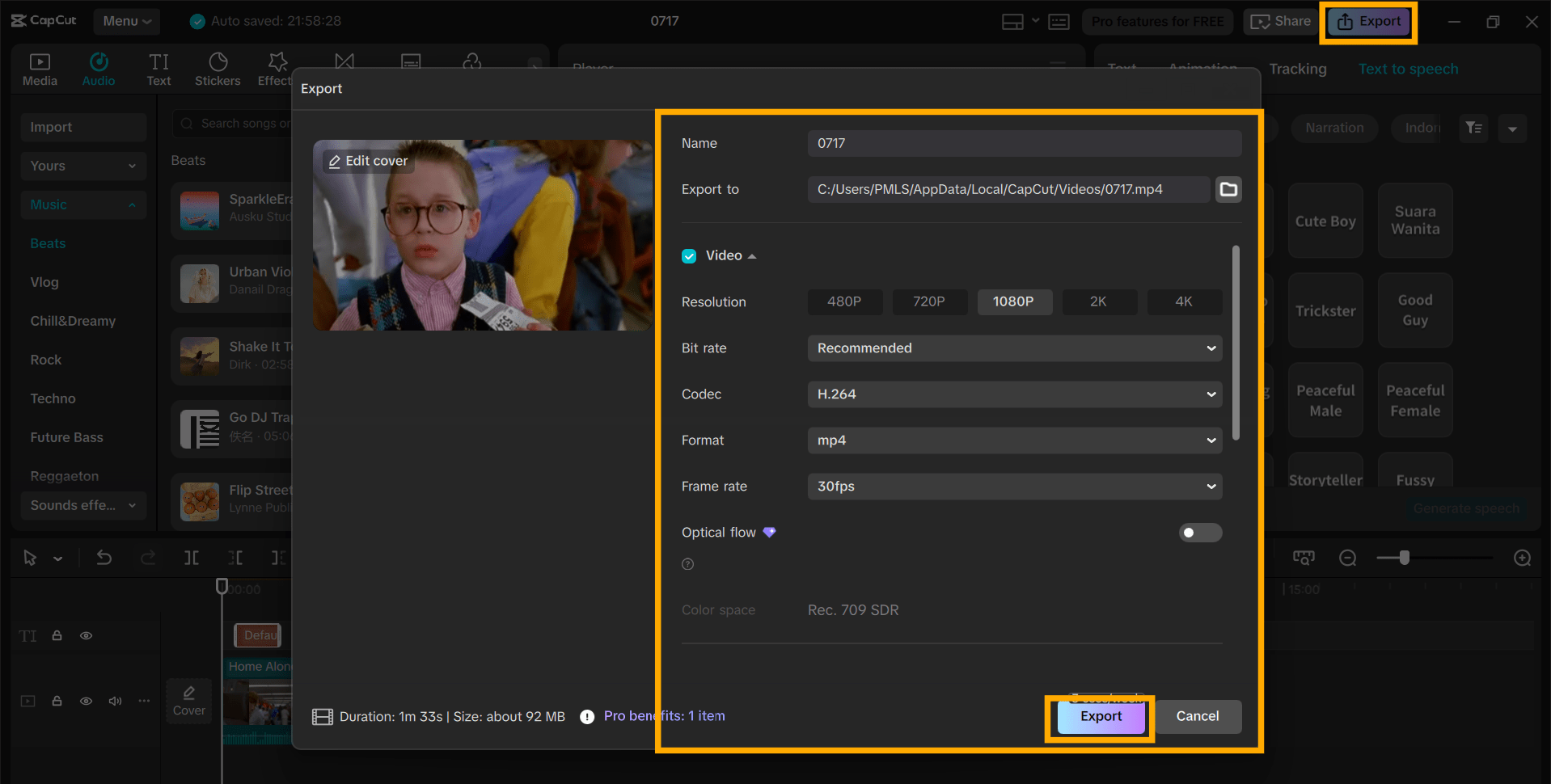
Click Play to check your video. If it looks good, click “Export” at the top right. Set your resolution and name your file. Save it on your device. Now your video is prepared to be uploaded or shared anywhere.
Conclusion
Telling stories with spoken text assists children to learn in an entertaining manner. They like the voice, listen to the words, and retain what they see. These videos may assist reading, listening, and concentration, all at one time.
If you’re a parent or instructor, give making your next story video on the CapCut desktop video editor a try. It is easy to operate and is suitable for home or class use.
Just be aware, while most of the tools on CapCut PC are free, there are some options, such as premium voices, that require payment.
Head to the official CapCut website, download it now, and begin making your stories something that children will enjoy.

Hey welcome to my blog . I am a modern women who love to share any tips on lifestyle, health, travel. Hope you join me in this journey!


Speak Your Mind